
VMware alternatives have gone from a niche topic to one of the most-searched infrastructure questions of 2026. The reason is simple: price. Since Broadcom’s acquisition, VMware moved to subscription-only, per-core licensing, and the impact has been brutal. Industry surveys now find that 98% of VMware customers are using, planning, or evaluating alternatives. AT&T documented a 1,050% price increase in a court filing. Typical renewals land 150% or more above previous costs, and small environments sometimes face 3–10x jumps. The good news: the alternatives have matured dramatically. This guide compares the realistic options, what migration actually takes, and when staying on VMware still makes sense.
Why Everyone Is Searching for VMware Alternatives in 2026
Three Broadcom changes created the exodus. First, perpetual licenses are gone and everything is subscription. The “buy once, pay small support fees” model that mid-sized businesses relied on no longer exists. Second, pricing is per core with a 16-core minimum per CPU. It is bundled into VMware Cloud Foundation packages that force customers to pay for unused products. Third, the partner and cloud-provider programs were cut back sharply, reducing the buying paths smaller customers depended on.
The result is well documented. For example, perpetual estates converting to the new bundles typically see annual costs rise by 100–250%. Gartner now forecasts that by 2028, 70% of enterprise VMware customers will have shifted half their workloads to alternatives. Whether or not you migrate, pretending this is temporary is not a strategy. Therefore, every VMware renewal from here on needs a priced alternative beside it.
The Leading VMware Alternatives Compared
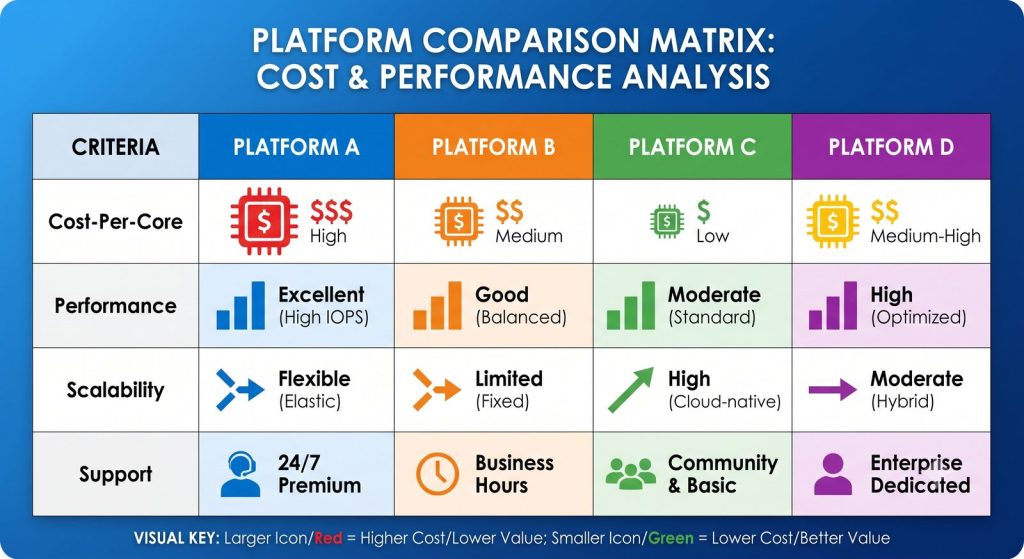
Here is the realistic 2026 shortlist, from our experience running virtualization platforms for hosting companies and businesses:
- KVM (the open-source engine): the Linux kernel’s built-in hypervisor — battle-tested, free, and the foundation under most public clouds. Ideal for Linux-centric infrastructure and hosting environments. Our own Senior System Administrators run it in production with HA clustering, live migration, and MySQL replication.
- Proxmox VE: KVM wrapped in a polished management platform with clustering, live migration and built-in backups. Its per-socket (not per-core) support pricing is dramatically cheaper than VCF. The default landing spot for cost-driven SMB and mid-market migrations.
- OpenStack: the full private-cloud route — multi-tenant, API-driven, massively scalable. However, it brings more operational complexity. Still, it is the right choice for hosting providers and larger estates that want cloud economics on their own hardware. Our OpenStack management service runs exactly these environments.
- Microsoft Hyper-V: mature, included with Windows Server licensing, and the natural fit for Microsoft-centric shops. That is especially true for those already weighing Azure, as we covered in our Azure vs AWS comparison.
- Public cloud (AWS/Azure): not a hypervisor swap but an architecture change. It suits workloads that benefit from elasticity, not a blind lift-and-shift of idle VMs.
Break-even on migration typically lands 9–14 months out at post-Broadcom prices. That is why the business case now works for environments that never considered moving before.
What a VMware Migration Actually Takes
Migration is more achievable than most teams assume — but it is a project, not a weekend. The proven sequence:
First, inventory and tier. Catalogue every VM, its dependencies, and its criticality. Most estates contain 20–30% of VMs that are idle or redundant. Migration is the perfect moment to delete them, which also cuts your cost baseline.
Second, pilot with the deferrable tier. Move development and internal workloads first using conversion tooling (qemu-img, virt-v2v, or Proxmox’s built-in VMware importer). This proves drivers, backup integration, and monitoring on the new platform before anything customer-facing moves.
Third, cut over in waves with rollback points. Replicate, test, switch, verify — one application group at a time, each with a tested path back. Backups must be verified on the new platform before its old host is decommissioned. This is where migration plans meet the discipline from our disaster recovery guide.
Typical timelines: a 10–30 VM environment migrates in 4–8 weeks; hundreds of VMs take one to two quarters in waves. Partial migration is also a legitimate end-state. For instance, many businesses keep tier-1 workloads on a slimmed-down VMware footprint and move everything else. This can cut the renewal by half or more.
When Staying on VMware Still Makes Sense
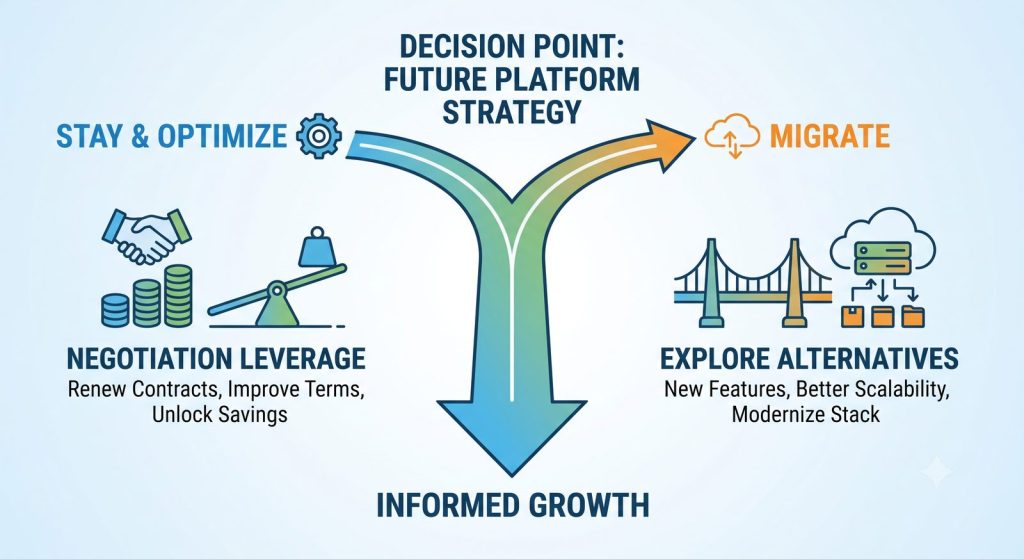
Honesty again: migration is not always the answer. Staying makes sense when your estate depends deeply on VMware-only capabilities. These include, for example, NSX network virtualization, vSAN stretched clusters, or site-recovery tooling wired into compliance processes. It also makes sense when your team’s skills are entirely VMware-shaped. In a large environment, retraining risk may outweigh licence savings in the near term.
Even then, a credible migration assessment pays for itself at the negotiating table. Prepared buyers holding a priced, board-ready alternative routinely cut Broadcom’s opening ask and secure multi-year caps. In other words, evaluate the alternatives even if you intend to stay. And if you stay, run VMware well. Our VMware management service keeps existing environments patched, optimized, and right-sized. As a result, you stop paying premium licensing for idle, unoptimized capacity.
How VIPoint Helps You Evaluate VMware Alternatives — or Run VMware Better
We sit on both sides of this decision, which makes our advice unusually neutral. We manage production VMware environments for clients who stay. For clients who move, we build and operate the alternatives. These include KVM with HA clustering, Proxmox and virtual server platforms, OpenStack private clouds, and AWS/Azure landing zones. Either way, the environment ends up under 24/7 server management with monitoring, patching, and backup verification built in.
A typical engagement starts with a two-week assessment. It covers a full inventory, a per-platform cost model (stay vs Proxmox/KVM vs OpenStack vs cloud) and a migration-effort estimate. Finally, you get a recommendation with numbers you can put in front of your board — or in front of Broadcom.
Facing a VMware renewal and want real numbers on the alternatives? Contact VIPoint Solutions for a free virtualization assessment. We will model your stay-vs-migrate costs and give you a clear, vendor-neutral recommendation.