
 Linux server hardening is the difference between a server that quietly does its job for years and one that ends up mining cryptocurrency for a stranger. The threat data for 2026 is blunt: attacks targeting Linux environments have spiked roughly 130% year over year, and the Linux kernel logged over 5,500 CVEs in 2025 alone — eight to nine new vulnerabilities every single day. Meanwhile, automated scanners find and probe a new internet-facing server within about four minutes of it going online. A default Linux install is built for convenience, not security. This checklist covers the hardening steps our sysadmins apply to every production server — in priority order, so the highest-impact fixes come first.
Linux Server Hardening Starts With SSH: Lock the Front Door First
SSH is how you administer your server — and how attackers try to get in. Every internet-facing Linux server receives thousands of brute-force attempts per day, and honeypot data from ASEC’s Q1 2026 Linux SSH report shows worms like P2PInfect and botnets like Mirai systematically sweeping for weak SSH configurations. Therefore, harden SSH before anything else:
- Use key-based authentication only: Generate Ed25519 keys and set PasswordAuthentication no. Passwords — however strong — remain guessable; keys are not.
- Disable direct root login: Set PermitRootLogin no. Administrators log in as named users and escalate with sudo, which gives you an audit trail of who did what.
- Limit who can connect: Use AllowUsers or AllowGroups so only specific accounts can even attempt SSH, and restrict source IPs at the firewall where practical.
- Rate-limit failed attempts: Deploy Fail2Ban to automatically ban IPs after repeated failures. It turns a thousand-attempt brute-force run into three attempts and a ban.
These four changes alone close the vast majority of the SSH attack surface — at zero cost and with no impact on legitimate administration.
Linux Server Hardening Layer Two: Firewall, Services, and Patching
Next, reduce what attackers can even reach. Every open port and running service is attack surface; most servers need far fewer than they run by default.
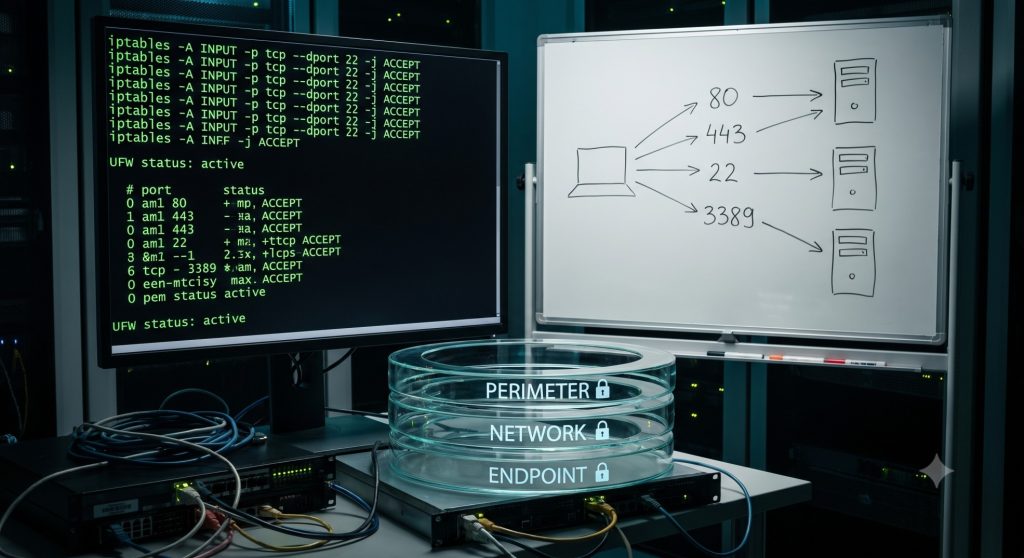
- Default-deny firewall: Whether you use firewalld, UFW, nftables, or CSF on cPanel servers, the policy is the same — block everything, then explicitly allow only the ports your applications need.
- Disable unused services: Audit with systemctl and ss, then remove or mask anything you do not need. No service means no vulnerability.
- Patch automatically: Enable unattended security updates (dnf-automatic or unattended-upgrades). With 8–9 new kernel CVEs daily, manual monthly patching is no longer a defensible strategy.
- Enforce least privilege: Tight sudo rules, no shared accounts, strong password aging policies for any local accounts that remain, and file permissions reviewed on everything web-facing.
On shared hosting and cPanel servers, this layer also includes hardening PHP handlers, enabling mod_security rulesets, and isolating accounts with CloudLinux — standard practice in our server management service for hosting clients.
Want this checklist applied to your server?
Request a free external security audit: open ports, vulnerable versions, SSL and email security, in a plain-English report within 2 business days.
Advanced Linux Server Hardening: SELinux, Auditing, and CIS Benchmarks
With the basics locked down, the next layer limits damage when — not if — something eventually gets through.
Keep SELinux or AppArmor enforcing. Mandatory access control confines each process to what its policy allows, so a compromised web application cannot read your database credentials or write to system binaries. The common advice to “just disable SELinux” when something breaks removes a major containment layer — fix the policy instead. Guidance from LinuxSecurity’s 2026 hardening guide is emphatic on this point: most production compromises still trace back to operational gaps, not exotic attacks.
Enable audit logging and file integrity monitoring. auditd records privileged actions; tools like AIDE detect unauthorized file changes; and logs should ship off the host, so an attacker cannot simply erase their tracks. These logs are also what makes incident response possible — they are the raw material that AI-driven monitoring platforms analyze, as we covered in our post on AIOps for server management.
Measure against the CIS Benchmark. The Center for Internet Security publishes distribution-specific hardening benchmarks for RHEL, Ubuntu, AlmaLinux, and Debian. Running a Lynis or CIS-CAT scan turns “we think the server is secure” into a scored, auditable baseline — which is increasingly required for compliance frameworks like SOC 2, PCI DSS, and ISO 27001.
Linux Server Hardening Does Not Stop at the OS: Ransomware, Containers, and Virtualization
In 2026, attackers do not stop at the operating system — and neither should your hardening. According to the 2026 Linux threat landscape analysis, modern ransomware groups now actively target Linux systems, with a particular focus on virtualization hosts and cloud workloads — because encrypting one hypervisor takes down every virtual machine on it.
- Harden virtualization hosts hardest: KVM and VMware hosts deserve your strictest SSH, network isolation, and patching policies. Our virtual server management and VMware services treat hypervisors as tier-zero assets.
- Secure containers like services: Minimal base images, dropped Linux capabilities, non-root containers, and network boundaries. Containers are processes with namespaces — not magic security boxes.
- Protect the backups: Ransomware hunts backup repositories first. Keep at least one backup copy offline or immutable, and test restores — a topic big enough that our next post covers disaster recovery planning in full.
Finally, remember that hardening is preventive — it complements, not replaces, active threat detection. Our earlier guide to preemptive cybersecurity covers the AI-driven detection side; hardening is the configuration baseline that makes those tools effective.

Linux Server Hardening as a Service: How VIPoint Keeps Servers Secure
Here is the operational truth: hardening is not a one-time project. It is a cadence. New CVEs land daily, configurations drift, and every deployment can quietly reopen a closed door. That is why one-off hardening scripts fail — and why the servers that stay secure are the ones under continuous management.
At VIPoint Solutions, Linux is our founding DNA — our team has hardened and managed thousands of RHEL, CentOS, AlmaLinux, and Ubuntu servers for hosting companies and businesses worldwide since 2012. Every server under our server management service gets the full checklist above: SSH lockdown, default-deny firewalling, automated patching, SELinux enforcement, audit logging, and CIS-aligned baselines — backed by 24/7 monitoring through our helpdesk support team that responds when something needs a human at 3 AM.
Related service: if you would rather have this checklist applied and kept current by specialists, our managed security services include hardening to CIS benchmarks, 24/7 intrusion monitoring, patch management and incident response.
Get a free security audit of your server
Our Linux engineers will review one server or website from the outside and send you a prioritised fix list within 2 business days. No agents, no access, no obligation.
Not sure how hardened your servers actually are? Contact VIPoint Solutions for a free server security assessment. We will audit your configuration against this checklist and the CIS Benchmark, and hand you a prioritized fix list — no obligation.